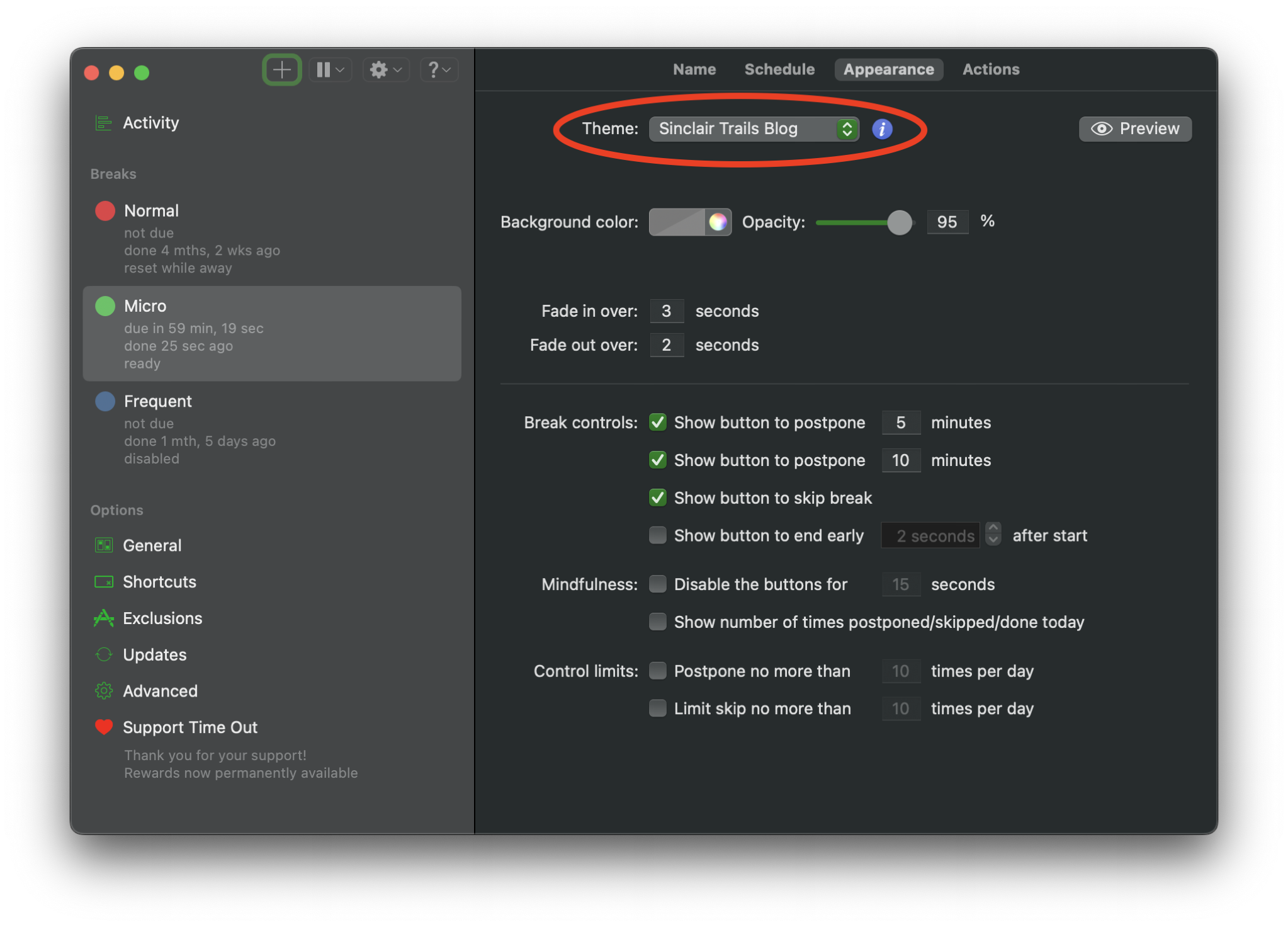
New and updated Time Out themes: Sinclair Trails and Tropical Rain
· extras · Time Out
Read More
· extras · Time Out
Read More
· consulting · NewsBlur · SheetPlanner · Simon · summary · Time Out

Read More
· FAQ · Time Out
The direct edition (available from this site), the Mac App Store edition, and the Setapp edition are very similar, but there are a few minor differences:
The direct edition can be downloaded from this site.
The Mac App Store edition can be downloaded from the App Store app.
The Setapp edition can be downloaded from the Setapp app.
The direct edition will download to your Downloads folder, so simply drag it into your Applications folder to install.
The Mac App Store edition will be downloaded directly into the Applications folder.
The Setapp edition will be downloaded…
Read More
· FAQ · Time Out
Look in your Dock and menu bar; does Time Out appear more than once?
If it's in the Dock more than once, you can long-click or right-click on the Dock icon to display the Dock menu for the app, then choose Options ▸ Show in Finder to reveal the app in the Finder. Do this for each to find the one that shouldn't be there — it could be in your Downloads folder, or in a subfolder of Applications if you installed both from the Dejal site and the Mac App Store.
Once you find the duplicate, quit that app (by double-clicking the app icon to bring it to the front, then press ⌘Q), then move it to the…
Read More
· FAQ · Time Out
Read More
· FAQ · Time Out
If no break appears when you manually start one, or as scheduled, there are a few possibilities. Try each of these until the issue is resolved.
Read More
· FAQ · Time Out
Read More
· FAQ · Time Out
"Natural breaks" are when the Mac is not being used; idle.
By default, Time Out will wait briefly then count backwards when you are having a natural break, to give you credit for not using your computer.
If you do a lot of reading on-screen, that doesn't cause keyboard or mouse activity, you can change the app to disable this behavior by choosing Continue Countdown from the popup menu on the Break Schedule page of the settings.
Or if you'd prefer to have it just pause the countdown, instead of counting backwards, or reset the timer, those are also options.
Read More
· FAQ · Time Out
Yes. I recommend that you always use the latest version of Time Out if you can, as it has the latest improvements and fixes. But if your Mac isn't using a recent OS version, you're curious what older versions were like, or you have some other reason to want an older version, they are still available. Just download the latest release that supports your OS version.
Read More
· release · Time Out
Read More